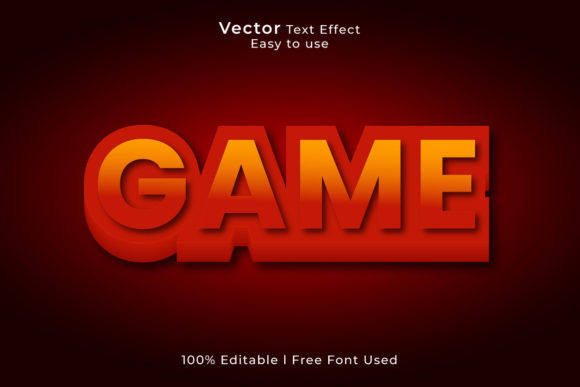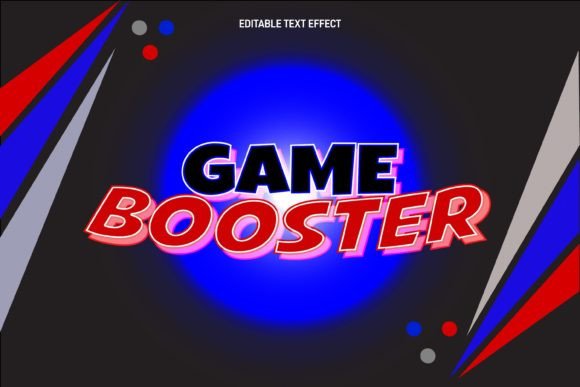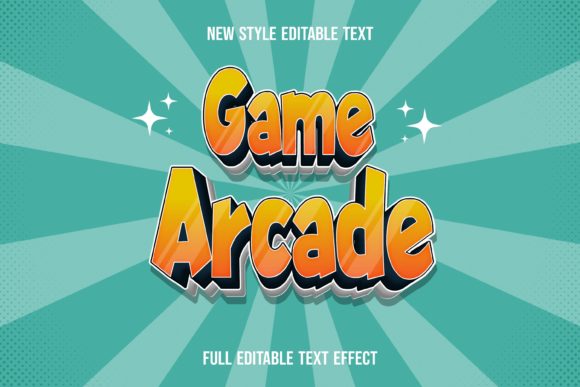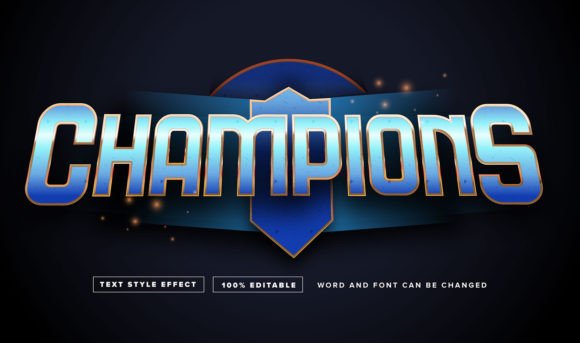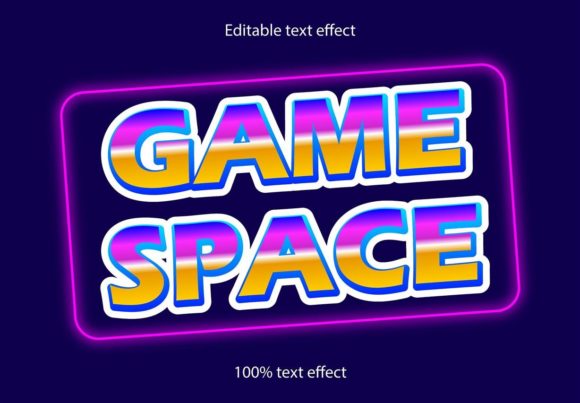
Game Space Retro Text Effect: A Dynamic Design Asset
There’s something magnetic about the visual language of classic arcade cabinets and early digital interfaces. The chunky, pixelated letterforms, the vibrant gradients, and the bold, unapologetic presence of that typography can instantly transport an audience back to a time of quarters and high scores. If you're looking to inject that specific brand of nostalgia and energy into your work, the Game Space Retro Text Effect offers a powerful and surprisingly flexible solution. It’s not a traditional font file, but rather a sophisticated set of effects for Adobe Illustrator that transforms any standard font or vector shape into a piece of retro-gaming history.
Understanding the Core Appeal of This Design Tool
At its heart, this resource is about instant atmosphere. The effect applies a consistent, high-impact style that mimics the glossy, dimensional text seen on game cartridges, console interfaces, and promotional posters from the 80s and 90s. Think of the iconic logos from games like Space Invaders, Galaga, or the title screens of early home consoles. This design asset captures that specific aesthetic, providing a ready-made layer of visual storytelling. The true value lies in its editability and scalability. Because it’s delivered as an Adobe Illustrator (.ai) and .EPS file, every element—from the color palette to the bevel depth and highlight angles—can be tweaked. You can apply this effect to a bold sans serif font for maximum impact or even to a custom-drawn shape, making it a versatile component in your design toolkit.
Practical Applications Across Creative Projects
The utility of a strong, thematic effect like this extends far beyond a single project. For branding, it can become the cornerstone of an identity for a retro gaming café, a tech review channel, or a merchandise brand targeting pop culture enthusiasts. Imagine a logo where your company name appears as if it’s about to start a new level—that’s memorable. In packaging design, it’s perfect for snack foods, energy drinks, or any product aiming for a fun, youthful, or nostalgic demographic. The effect makes key information, like a product name or a “New!” callout, impossible to miss on a crowded shelf.
For digital creators and marketers, the applications are immediate. Social media graphics for announcements, sale events, or video thumbnails gain an arresting visual hook. A blog header using this effect can set a playful, engaging tone for a post about retro culture, tech history, or even competitive gaming. Web designers can use it for hero sections or button graphics on sites dedicated to gaming news, e-sports, or indie game development. It’s equally effective in print materials—think event posters for a local arcade tournament, flyers for a themed party, or even unique invitations for a birthday or launch event.
Integrating the Effect for Maximum Impact
Success with a high-character design asset like this comes from thoughtful integration. It’s a display element, built for headlines, logos, and short bursts of text. Using it for long paragraphs would undermine its readability and dilute its punch. The principle of visual consistency is key here. Once you customize the colors to match your brand palette, you can reuse the effect across various assets—your website banner, social media profile picture, and merchandise—to create a cohesive and recognizable brand identity.
Pairing is also crucial. The bold, often complex nature of the retro text effect demands a simpler companion. A clean sans serif font for body copy or a subtle serif font for supporting text can provide the necessary contrast, ensuring your overall design remains balanced and legible. Always test your font pairings in context. Does the headline still stand out? Is the supporting text easy to read at a glance? This effect shines when it’s given room to breathe, acting as a focal point that guides the viewer’s eye.
From Hobbyist Projects to Professional Presentations
Whether you’re a small business owner designing your own promotional materials or a professional designer working on client projects, this tool saves significant time. Instead of manually constructing complex gradients, bevels, and highlights to achieve a retro gaming look, you apply the effect and adjust. This efficiency is invaluable for producing multiple marketing assets quickly. For creative entrepreneurs selling digital products or merchandise, it allows for the rapid creation of eye-catching mockups and final designs that stand out in a competitive marketplace.
It’s also a fantastic resource for hobbyists and crafters. Creating custom decals, birthday cards, or poster prints for a game room becomes a straightforward process. The fact that it’s 100% editable and scalable to any size means your design will look crisp whether it’s on a small sticker or a large-format print.
Key Considerations Before You Start
Before diving in, a few practical notes will ensure a smooth workflow. First, confirm you have access to Adobe Illustrator, as this is a native tool for that environment. While the .EPS file offers some compatibility, full editability is within Illustrator. Second, review the included font styles or examples provided by the creator. This gives you a concrete starting point for customization. Third, if you plan to use the final designs for commercial purposes, always verify the licensing terms. Most premium design assets like this come with a commercial license, but it’s your responsibility to ensure your use case is covered, especially for products for sale.
Ultimately, the Game Space Retro Text Effect is more than a novelty. It’s a specialized design asset that taps into a powerful cultural aesthetic. By understanding its strengths and applying it with purpose, you can create visuals that are not only visually arresting but also deeply resonant with audiences who share a fondness for that iconic digital era. It provides a shortcut to a polished, professional, and emotionally engaging result.